

Fluxel: Offline AI Image Studio & Background Remover
Harness state-of-the-art AI vision directly on your Windows PC. Cut out subjects with fine hair detail, resize for web or print, and batch-convert formats in seconds.
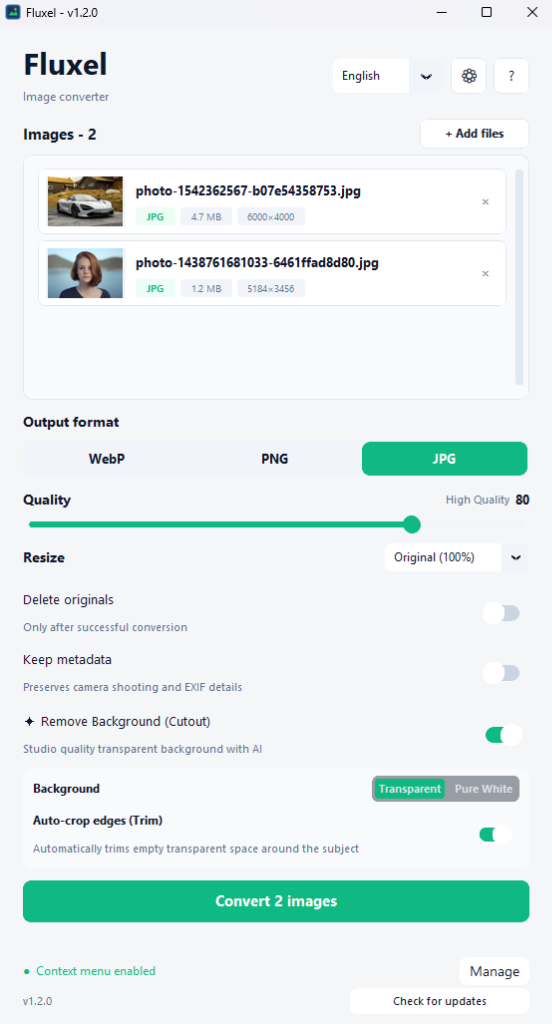
Built for Speed, Simplicity & Control
Every feature is ergonomically arranged to accelerate your day-to-day workflow.
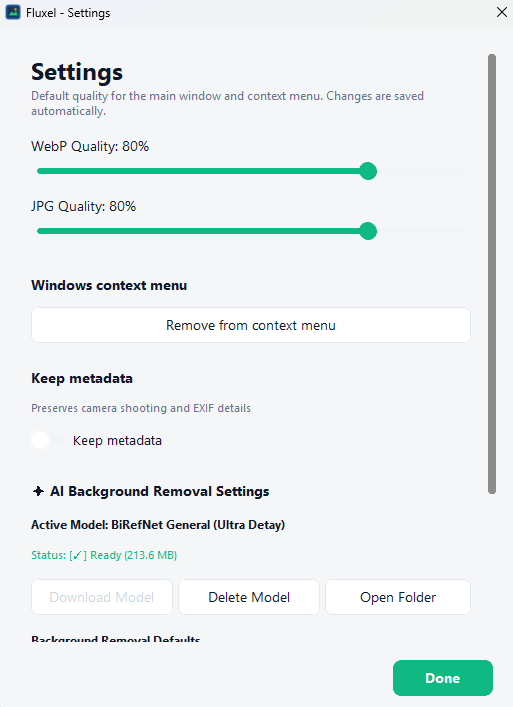
Fine-Tuned Quality Controls
Set default WebP/JPG quality levels, toggle EXIF metadata preservation, and manage BiRefNet model weights with one click.
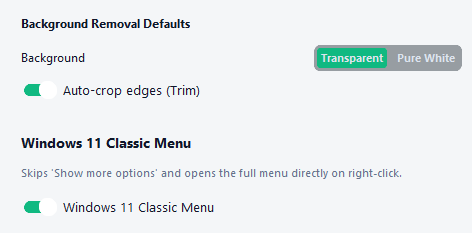
E-Commerce & Auto-Trim
Export with transparent alpha or instant Pure White (#FFFFFF) for Amazon and Shopify. Auto-crop trims empty transparent margins.
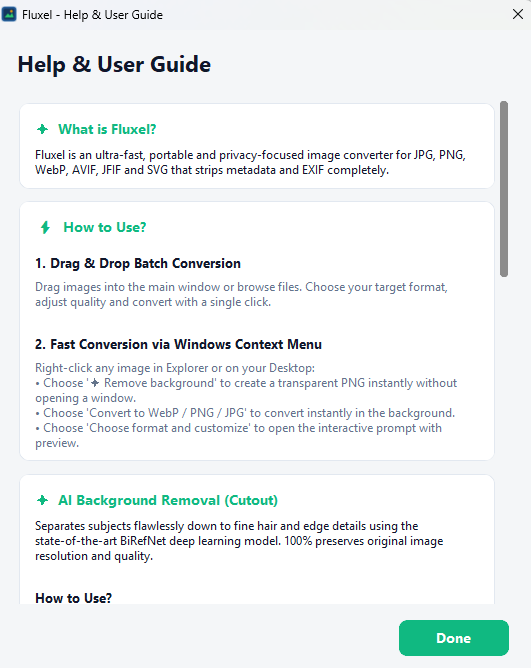
Integrated User Guide
Comprehensive built-in guide covering drag-and-drop batch conversions, Windows Explorer context menu shortcuts, and AI cutout best practices.
Why Professionals Choose Fluxel
A native desktop engine designed to replace heavy subscriptions and sluggish web upload tools.
Studio-Grade BiRefNet AI
State-of-the-art boundary separation models isolate intricate details like hair, fur, and transparent objects. Choose between pure transparent PNGs or e-commerce pure white (#FFFFFF) backgrounds.
Precision Resizing & Crop
Scale images using industry-standard Lanczos interpolation. Use smart presets (Full HD, HD, 800px Web) or custom dimension clamping with auto-trim empty borders.
Adaptive Resource Guard
Runs in below-normal thread priority so Photoshop, Premiere, and your browser never stutter. Automatically frees RAM when idle.
Universal Format Support
Convert seamlessly between WebP, PNG, JPG, and Vector SVG (with high-fidelity rasterization). Configure quality sliders and retain EXIF metadata as needed.
Windows Context Menu
Right-click any image or folder in Windows Explorer to convert or cut out backgrounds instantly with Fluxel's compact Quick Prompt window.
100% Privacy Guarantee
Every pixel is processed locally on your machine. No photos are ever uploaded to cloud servers, making Fluxel safe for client and confidential work.
Technical Specifications
| Supported OS | Windows 10, Windows 11 (64-bit) |
|---|---|
| Software Version | v1.2.0 (Latest Stable) |
| Installation | Portable Standalone Executable (No setup needed) |
| File Size | ~51 MB |
| Hardware Acceleration | CPU / DirectML & CUDA (Auto-detected) |
| Supported Formats | Input: JPG, PNG, WebP, SVG, BMP, TIFF • Output: WebP, PNG, JPG |
| License | Lifetime License ($27) • 2 PC Activations • 14-Day Money-Back Guarantee |